For Mac · macOS 13+ · Your photos never leave your device

A lifetime of photos,Your photos,finally in order.

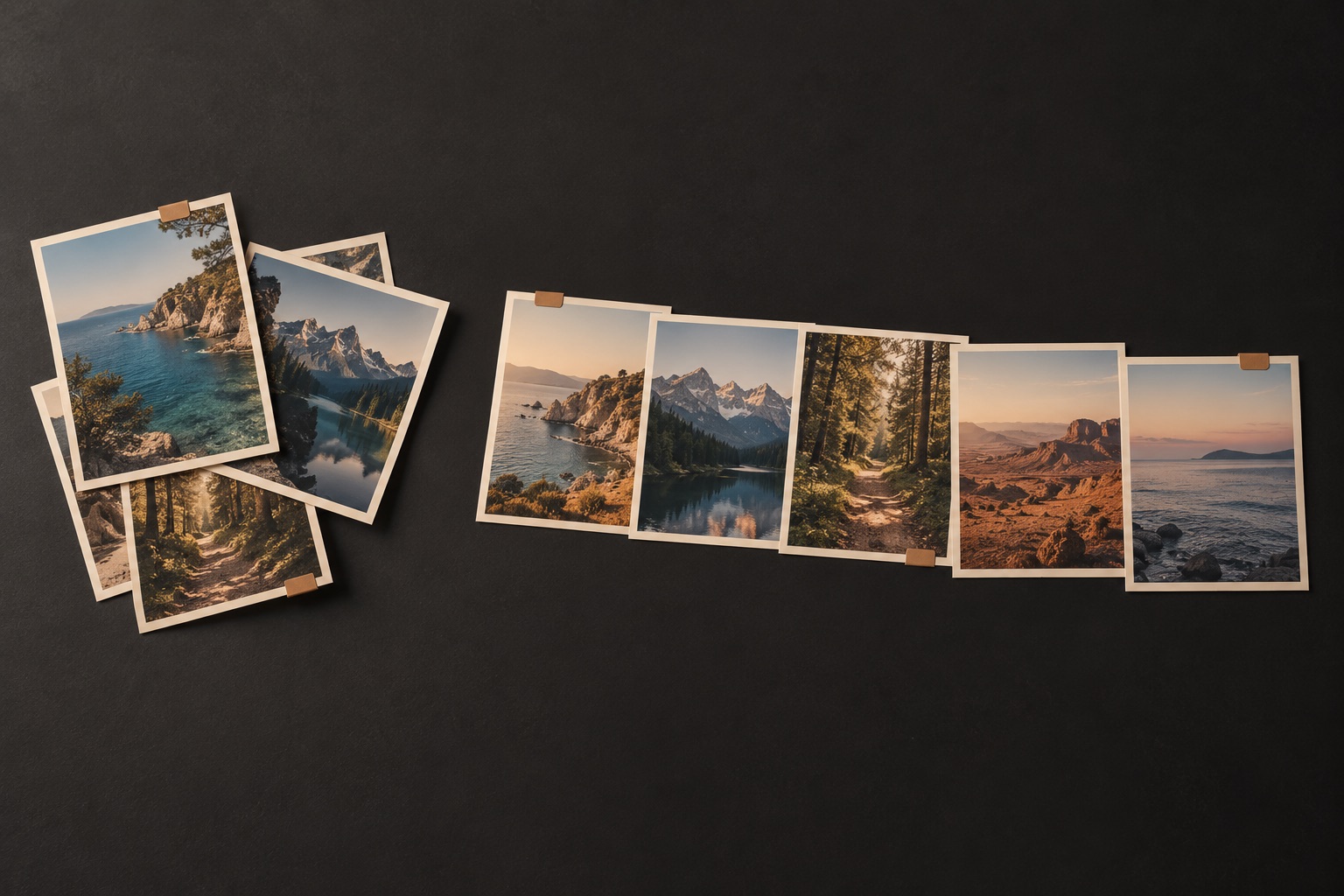
Chronoframe pulls the photos scattered across your drives, phones, and old backups into one clean, dated library, then helps you clear out the duplicates. Your originals are never touched, and nothing changes until you say so.

Pay once, own it forever · $14.99 introductory price · No subscription, ever.

Runs entirely on your Mac. No account, no uploads, no tracking.

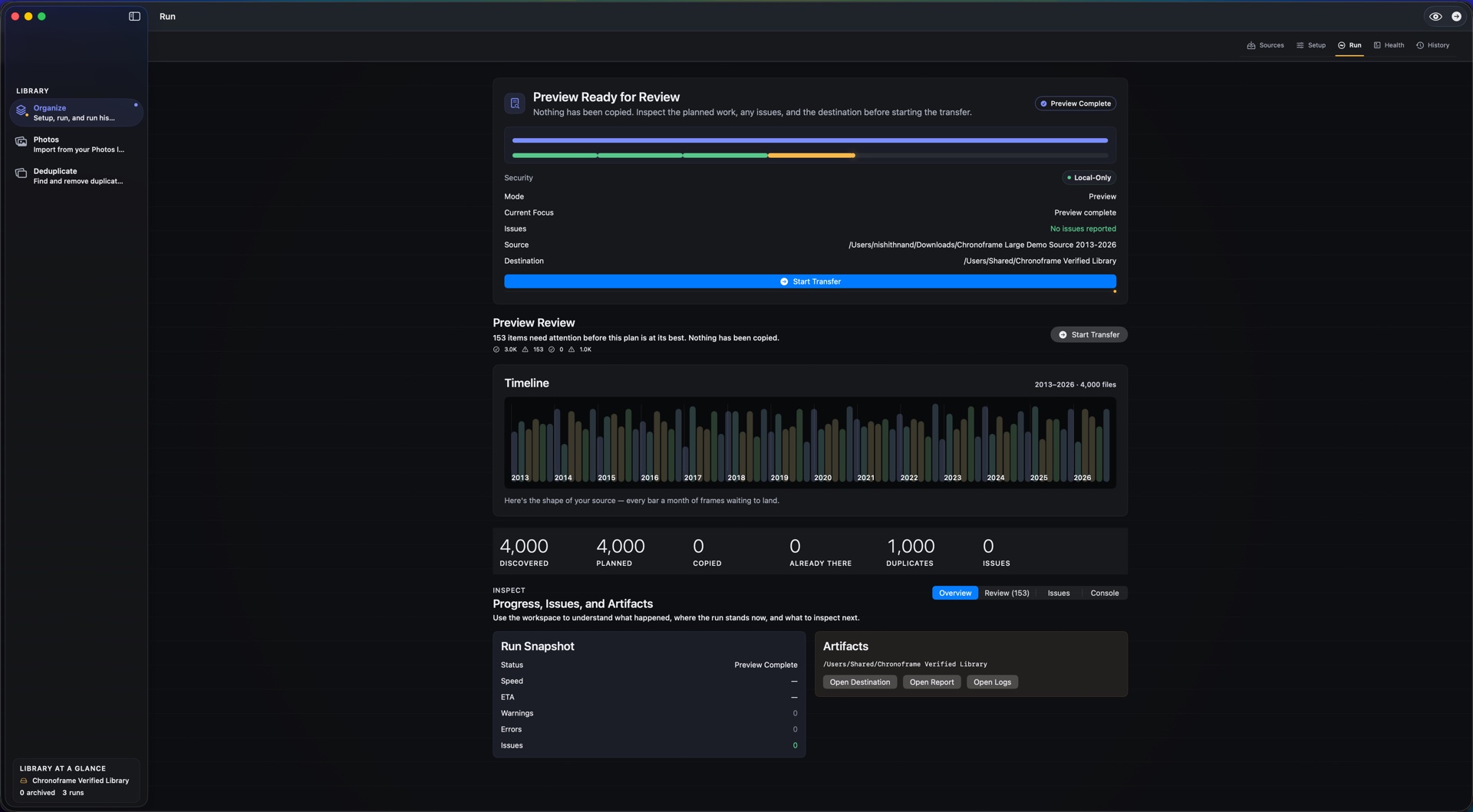
Chronoframe Organize setup with source and destination folders plus a contact sheet preview.
Organize into a date-based library
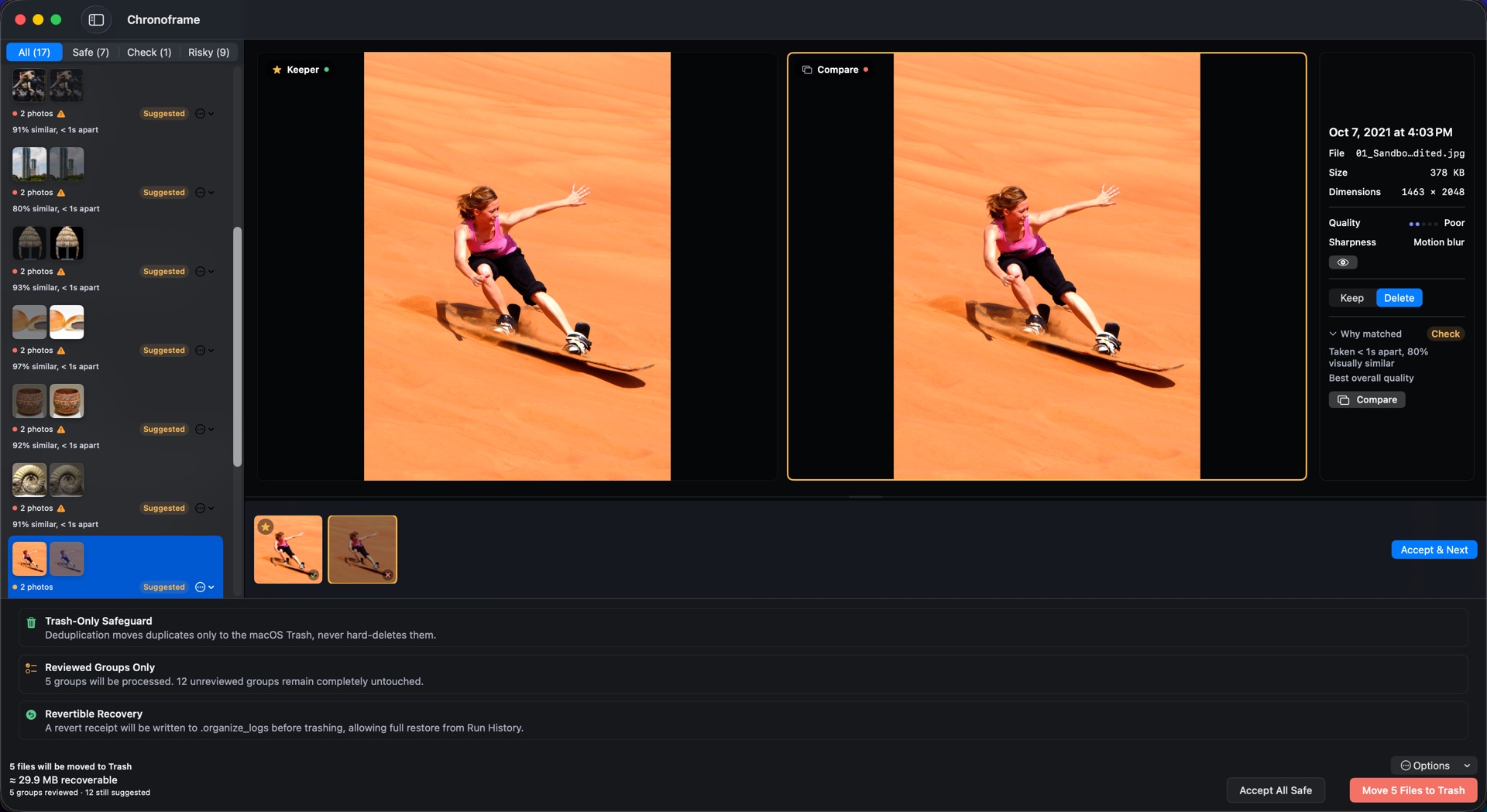
Chronoframe Deduplicate comparing two similar photos with keep and delete choices.
Review duplicates before Trash
6,064
photos organized in a single run
0
originals moved, renamed, or deleted
1‑click
undo for any transfer
100%
on your Mac, nothing uploaded

From chaos to a library you can actually use

Organize brings order; Deduplicate wins back space. Both start with a preview, and both keep every decision in your hands.

Chronoframe showing a completed organize transfer with copied file counts and run summary.
📁

Find any photo in seconds

Chronoframe copies scattered media into clean, dated folders like 2024/06/15, resolving each file's date from metadata, filename, and the file itself, and flagging anything uncertain for your review before it copies. Your source folder stays read-only.

Chronoframe Deduplicate showing recent folders with files removed and space saved.
🔍

Get your storage back

Find exact copies by content, not filename, plus near-duplicates, bursts, RAW+JPEG pairs, and Live Photos. You choose what to keep; everything you approve moves to the macOS Trash, never a hard delete.

Made for messy, precious libraries

If your photos are scattered and you've been afraid to touch them, this is for you.

📱

Years of phone backups

Merge a decade of iPhone and Android dumps into one clean timeline, with the duplicate copies cleared out.

💾

Camera cards & old drives

Consolidate SD-card imports and external-drive archives into a single library you can actually navigate.

🎞

Culling photo shoots

Review bursts and RAW+JPEG pairs side by side and keep only your best frame from each moment.

Built so you never have to worry

Your photos are irreplaceable. Every decision in Chronoframe starts from that.

How it works

From scattered files to a cleaner library, with a preview before every meaningful change.

Choose a folder to organize or scan. Pick source and destination folders for Organize, or point Deduplicate at the library you want to review.
Preview before anything changes. See what will copy, what needs attention, and what duplicate groups need a keep/delete decision.
Organize into a clean library. Copy files into a date-based destination while originals remain untouched.
Deduplicate with review. Compare similar shots, keep the right one, and move only approved files to Trash.

How Chronoframe is different

Most tools either store your photos or delete them for you. Chronoframe organizes and cleans up, and keeps you in control the whole way.

☁️

vs. cloud storage

Cloud services charge you every month and keep your photos on their servers. Chronoframe is a one-time purchase that works entirely on your Mac.

🗑️

vs. one-tap cleaners

Bulk "cleaner" apps delete on your behalf. Chronoframe shows a preview, lets you compare, and only moves files you approve to the Trash.

🖼️

vs. Apple Photos

Photos manages one library. Chronoframe organizes the loose files scattered outside it (across drives, folders, and old backups) into a structure you own.

Why I built Chronoframe

I had twenty years of photos spread across phones, laptops, and a drawer of drives, and I was terrified of touching them in case I lost something. The tools I found either wanted a monthly fee to hold my memories hostage, or deleted files in bulk and asked questions later.

So I built the app I wanted: one that copies, never moves, shows you a plan before it does anything, and lets you undo. Chronoframe runs entirely on your Mac. Your photos are never uploaded, and there's no account and no tracking, because they're yours, and they should stay that way.

Nishith Nand, maker of Chronoframe

The questions people ask first

If you're trusting an app with a lifetime of photos, you deserve straight answers.

Will Chronoframe change or delete my original photos?

No. Chronoframe only reads your source folder. Your originals are never moved, renamed, edited, or deleted. You decide if and when to clean up the source yourself.

Does it work with my Apple Photos library?

Chronoframe works on photo and video files in folders you choose, not inside the Apple Photos database. If your originals live in folders or on drives (exports, camera dumps, backups), point Chronoframe at those.

What happens if a transfer is interrupted?

Each file is written safely to a temporary spot and only then put into place, so an interrupted run can't leave a half-written photo. Your originals stay untouched, and you can simply run it again.

Can I undo it?

Yes. History records every run, and Revert removes only the files Chronoframe copied, and only when they still match the record, so it never touches anything you added or changed afterward.

Does Deduplicate permanently delete files?

No. Chronoframe moves only the files you approve to the macOS Trash. You review each duplicate group before committing, and hard delete is not part of the app.

Do my photos ever leave my Mac?

Never. Everything runs on-device. There's no account, no uploads, no analytics, and no tracking of any kind.

What does Chronoframe cost?

A single one-time purchase: $14.99 as an introductory price. No subscription, ever.

More questions? See the full support page.

Requirements

macOS 13.0 or later Apple Silicon & Intel Works offline No account required

Your memories deserve better than "New Folder (3)".

Start with one folder. Organize what belongs together, review duplicates with care, and keep every original protected along the way.

Pay once, own it forever · $14.99 introductory price · No subscription, ever.